Using Test Variables
- Dashboard
- CLI
- CRD
To synchronize Testkube's feature set between the Testkube CLI and the Testkube Dashboard, Test Variables can be defined in the Testkube Dashboard. On the Tests screen, select a Test and click on the Settings tab and select Variables & Secrets:
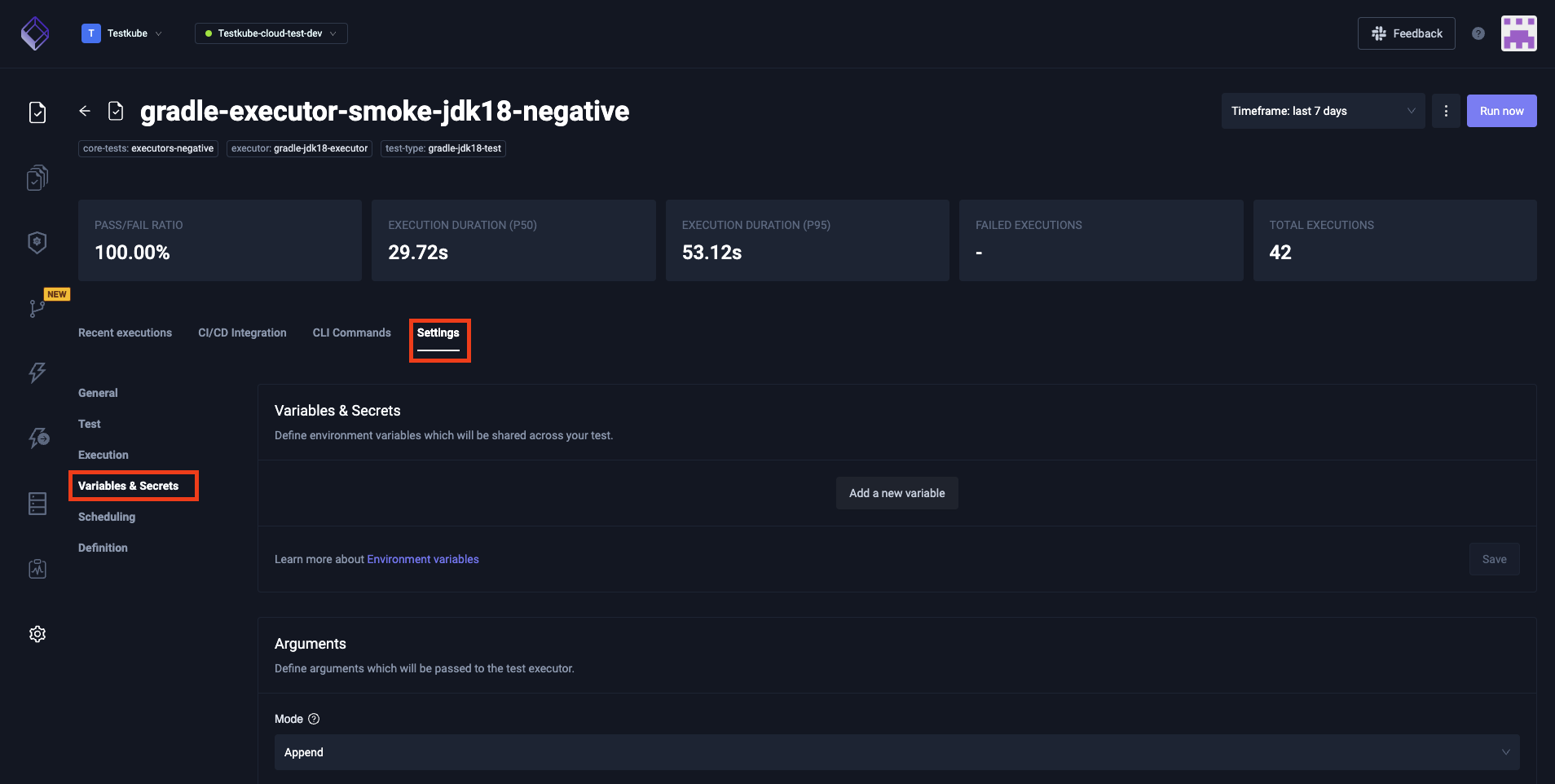
Any variables already existing for that Test will be shown. To create a Test variable, click Add Variable and provide desired values.
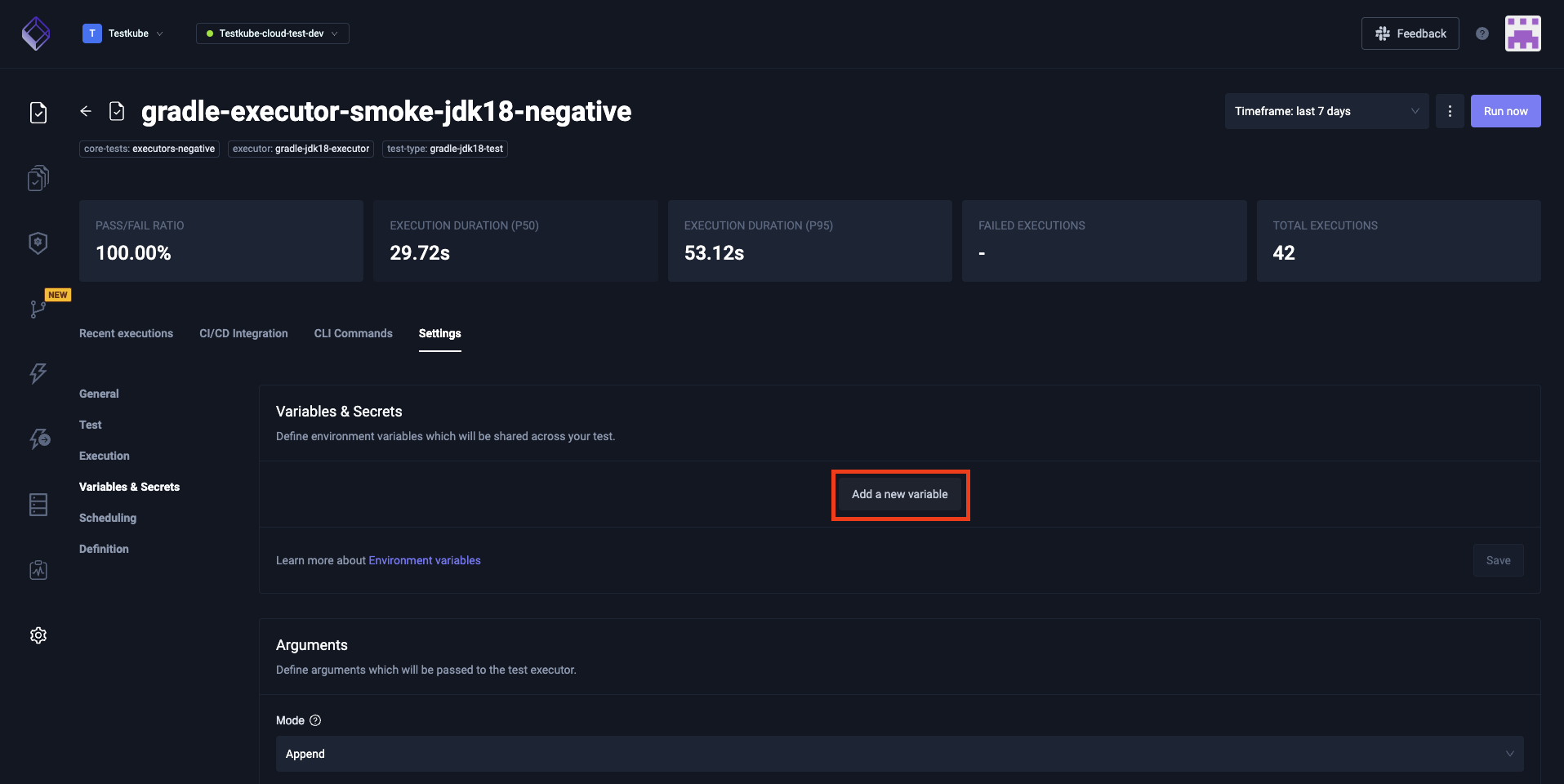
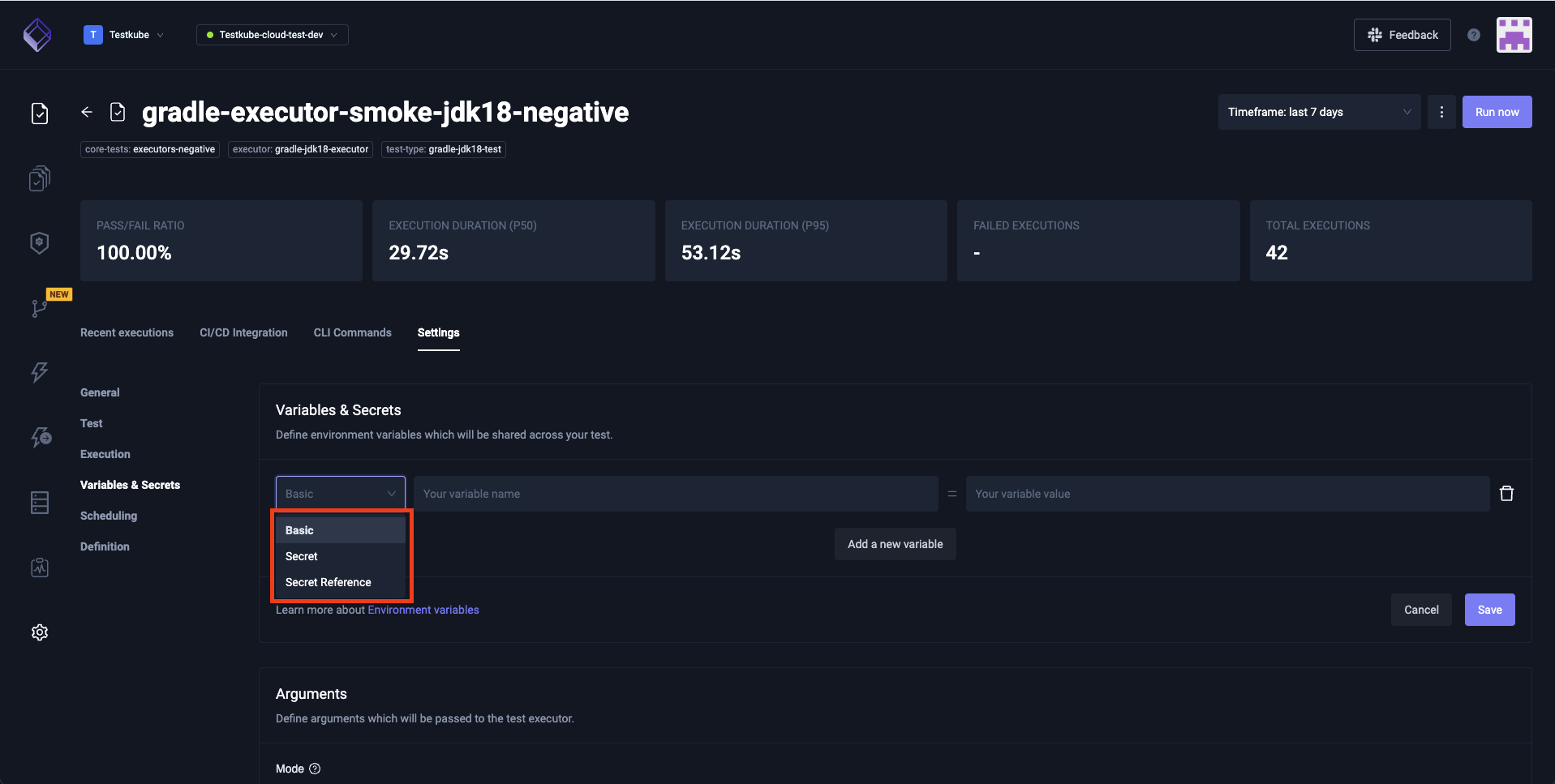
The types available for Test variables are Basic, Secret and Secret Reference.
Depending on the type of the variables, the CLI offers multiple options on how to set these.
  -s, --secret-variable stringArray                execution secret variable passed to executor
      --secret-variable-reference stringToString   secret variable references in a form name1=secret_name1=secret_key1 (default [])
  -v, --variable stringArray                       variable key value pair: --variable key1=value1
      --variable-configmap stringArray             config map name used to map all keys to basis variables
      --variable-secret stringArray                secret name used to map all keys to secret variables
      --variables-file string                      variables file path, e.g. postman env file - will be passed to executor if supported
Setting basic and secret variables is also possible on the CRD level. They should be under the executionRequest key. Consult the example below.
apiVersion: tests.testkube.io/v3
kind: Test
metadata:
  name: example-test
  namespace: testkube
  labels:
    executor: curl-container-executor
    test-type: curl-container-test
spec:
  type: curl-container/test
  executionRequest:
    variables:
      BASIC_VAR_NAME:
        name: BASIC_VAR_NAME
        value: "BASIC_VAR_VALUE"
        type: basic
      SECRET_REF_VAR_NAME:
        name: SECRET_REF_VAR_NAME
        type: secret
        valueFrom:
          secretKeyRef:
            name: SECRET_REF_SECRET_NAME
            key: SECRET_REF_KEY
      SECRET_VAR_NAME:
        name: SECRET_VAR_NAME
        type: secret
        valueFrom:
          secretKeyRef:
            name: example-test-testvars
            key: SECRET_VAR_NAME