Cached TestWorkflow Results
As of Testkube v2.7, all Testkube Resources are stored in the Control Plane - Read More. The Dashboard remains fully functional even when no runners are connected. The behavior described below only applies to environments running a pre-v2.7 Runner that has not yet been migrated.
Workflow Execution results are stored in the database configured for the Testkube Control Plane (or locally for the Runner when running in standalone mode).
Since the Control Plane is the source of truth for all Testkube Resources, the Dashboard remains fully functional even when no runners are connected. You can always view, create, and modify Workflows, Triggers, and Webhooks. Execution of Workflows and event listening will be unavailable while the relevant Runner or runners with the listener capability are offline.
Viewing Results When Runners Are Offline
When all runners are offline, you can still browse and manage Workflows and view previous execution results in the Dashboard. Workflows will indicate that no runner is available for execution.
Accessing Results for Deleted Workflows
If the Control Plane contains Workflow Executions for a TestWorkflow that has been deleted, that Workflow will be shown as offline in the Dashboard, allowing you to view its execution results.
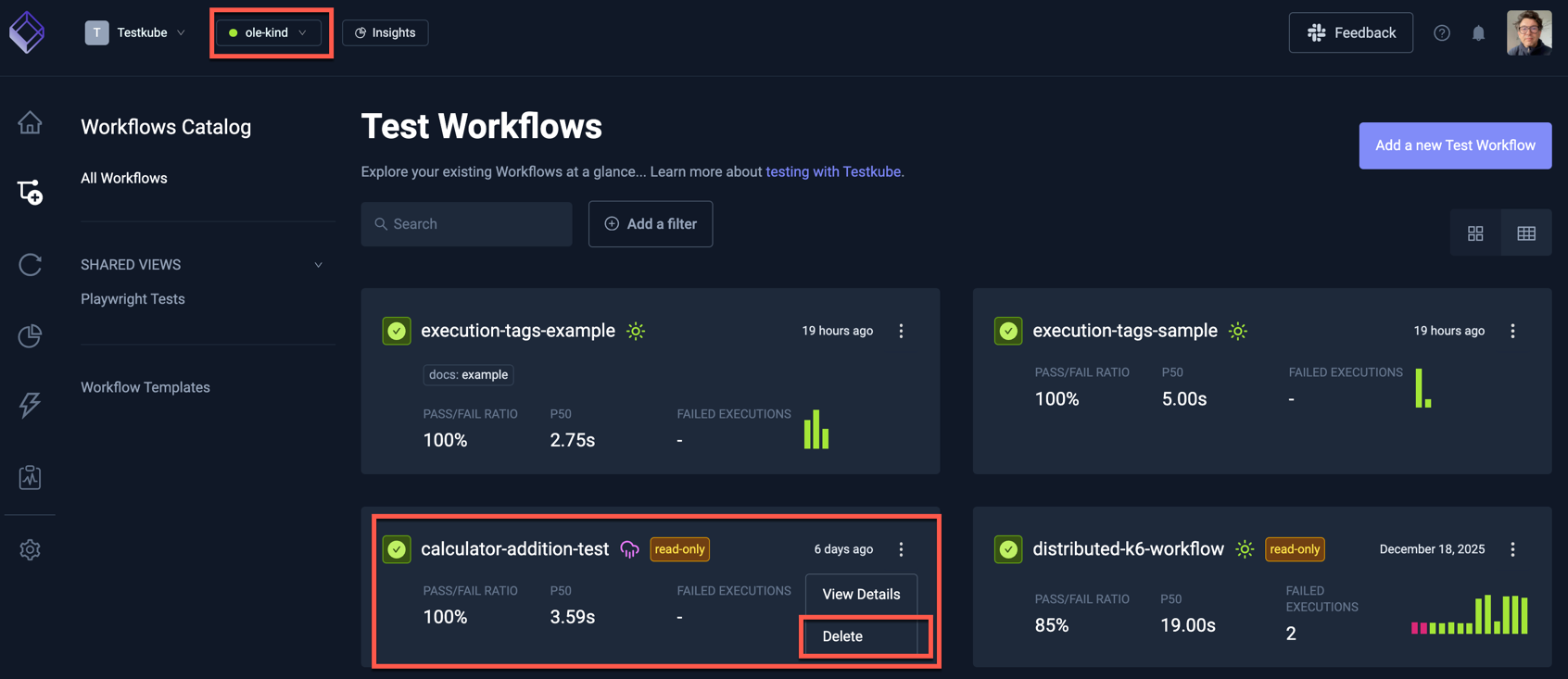
You can use the "Delete" command from the popup shown above to delete all Workflow Executions for a deleted TestWorkflow.