GitHub
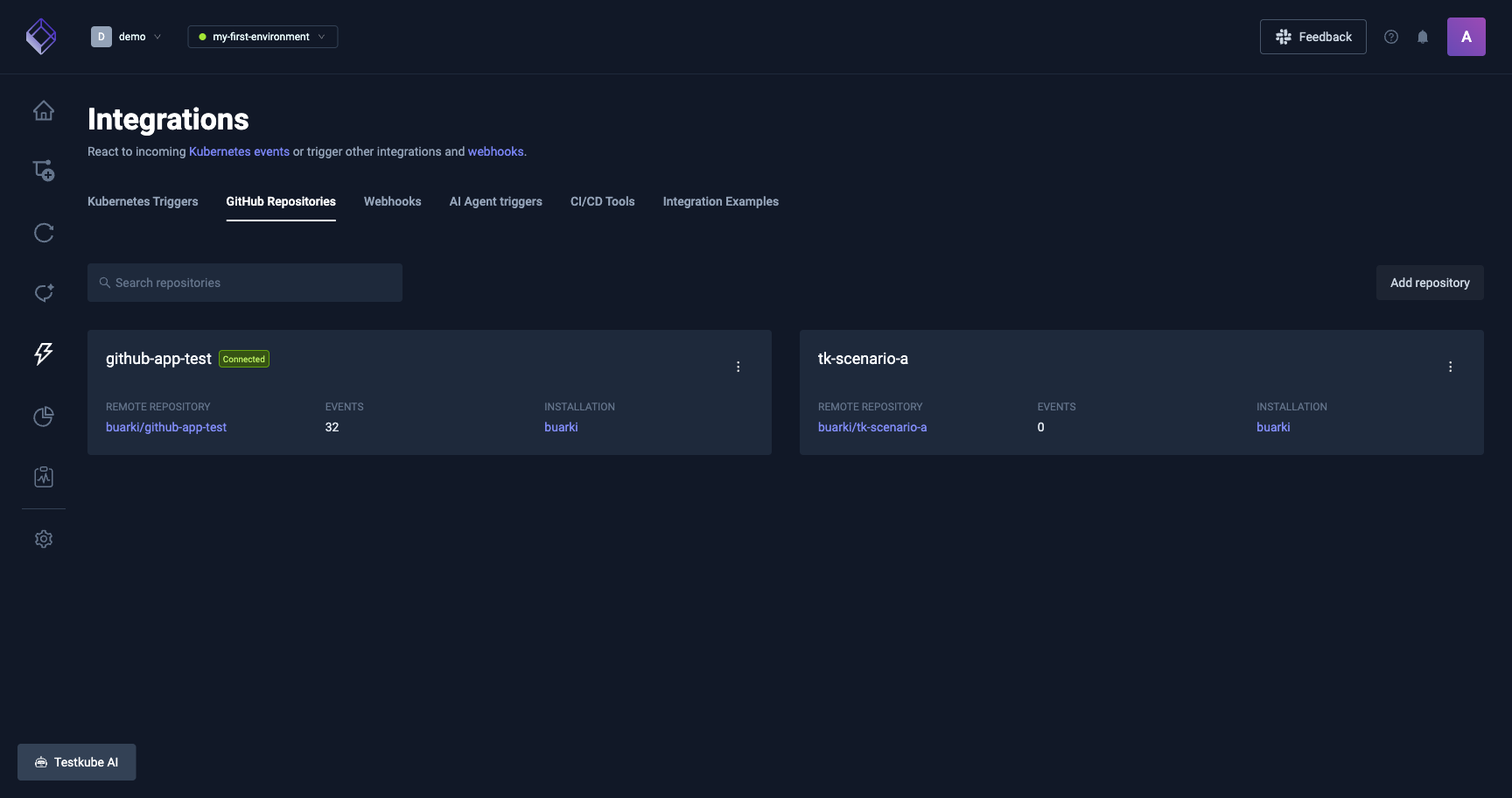
The GitHub integration connects a GitHub repository to a Testkube environment so PR activity runs your Test Workflows and results post back on the PR as check-runs.
Requires both the Control Plane and the Runner on version 2.13.1 or later. Older runners can render incomplete data in the Running Context and the Resource Usage chart of child executions triggered through the integration.
Available on Testkube Cloud and on-prem Control Plane. On-prem requires the GitHub integration enabled in the Helm chart and a GitHub App configured against the target organization. See Using GitHub Apps with Testkube.
What it does
For every event received from GitHub, the integration:
- Matches the event to your configured integration.
- Runs the Workflows selected for the repository against the commit that produced the event.
- Posts execution status back to the PR (check-run) or commit (status).
Workflows that run can be:
- Existing Workflows already in the environment, attached when the repository is connected.
- Auto-generated Workflows materialized from frameworks detected in the repo (Playwright, Cypress, k6, Postman, JMeter, Maven, Gradle, Go, Node).
Prerequisites
- A Testkube environment with a runner connected. See Runners Overview.
- On on-prem, the GitHub integration enabled in
values.yaml. - The Testkube GitHub App installed on the target repository.
- The user connecting the repository must have
adminaccess to it. - If the GitHub organization uses an IP allow list, allow the Cloud Control Plane's outbound addresses.
Installing the GitHub App
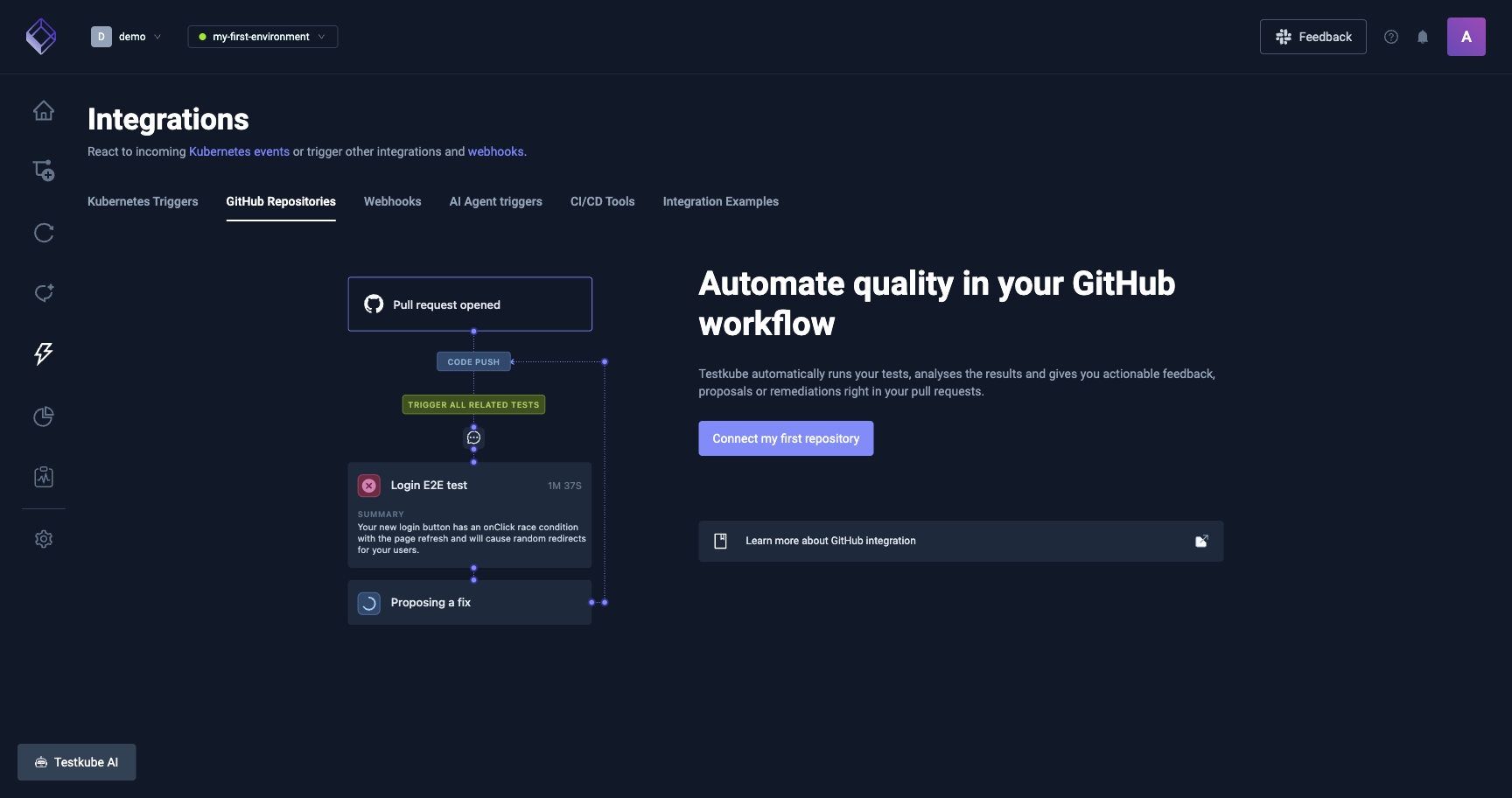
On Testkube Cloud, open Integrations > Git Integration and click Connect my first repository. GitHub asks which organization and which repos the App may access.
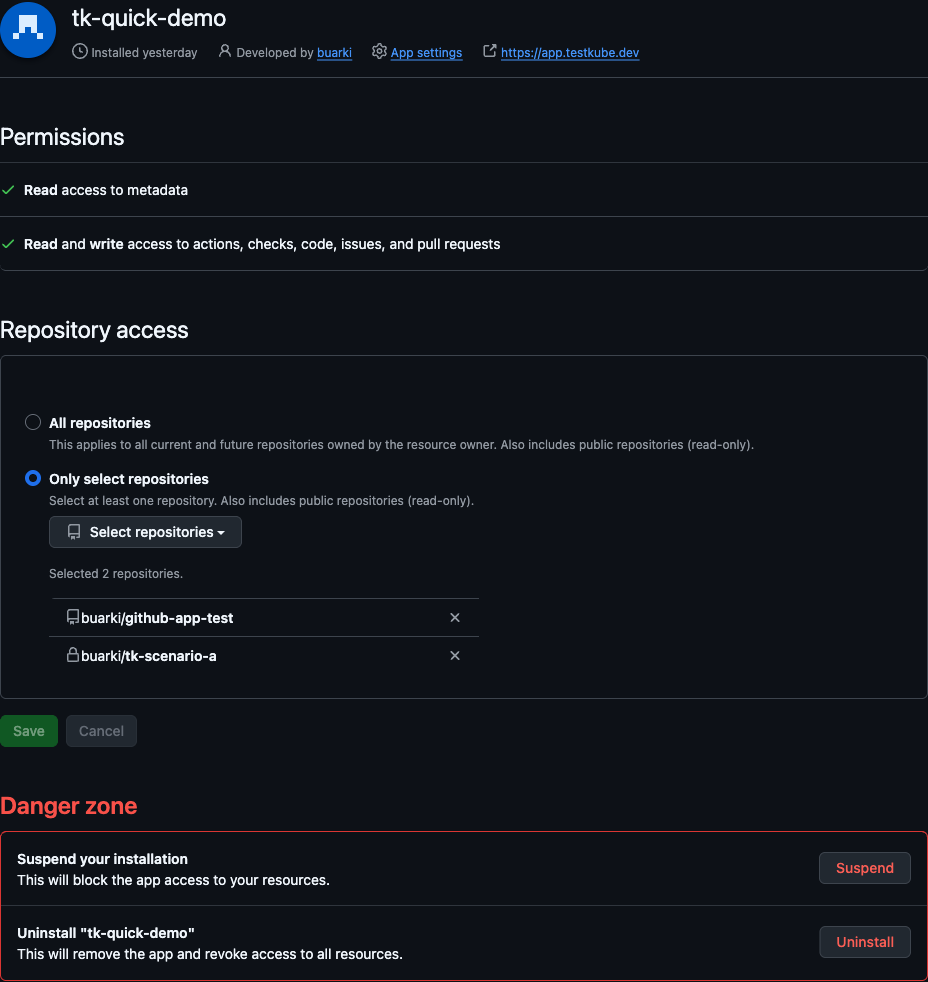
On on-prem, the operator creates the App during deployment. See Using GitHub Apps with Testkube.
Required App permissions:
- Contents: read
- Metadata: read
- Pull requests: read & write
- Checks: read & write
- Issues: read (for the
@testkubecomment trigger)
Connecting a repository
From the dashboard, open Integrations > Git Integration > Connect repository:
- Pick the org and repo (only repos the App is installed on show up).
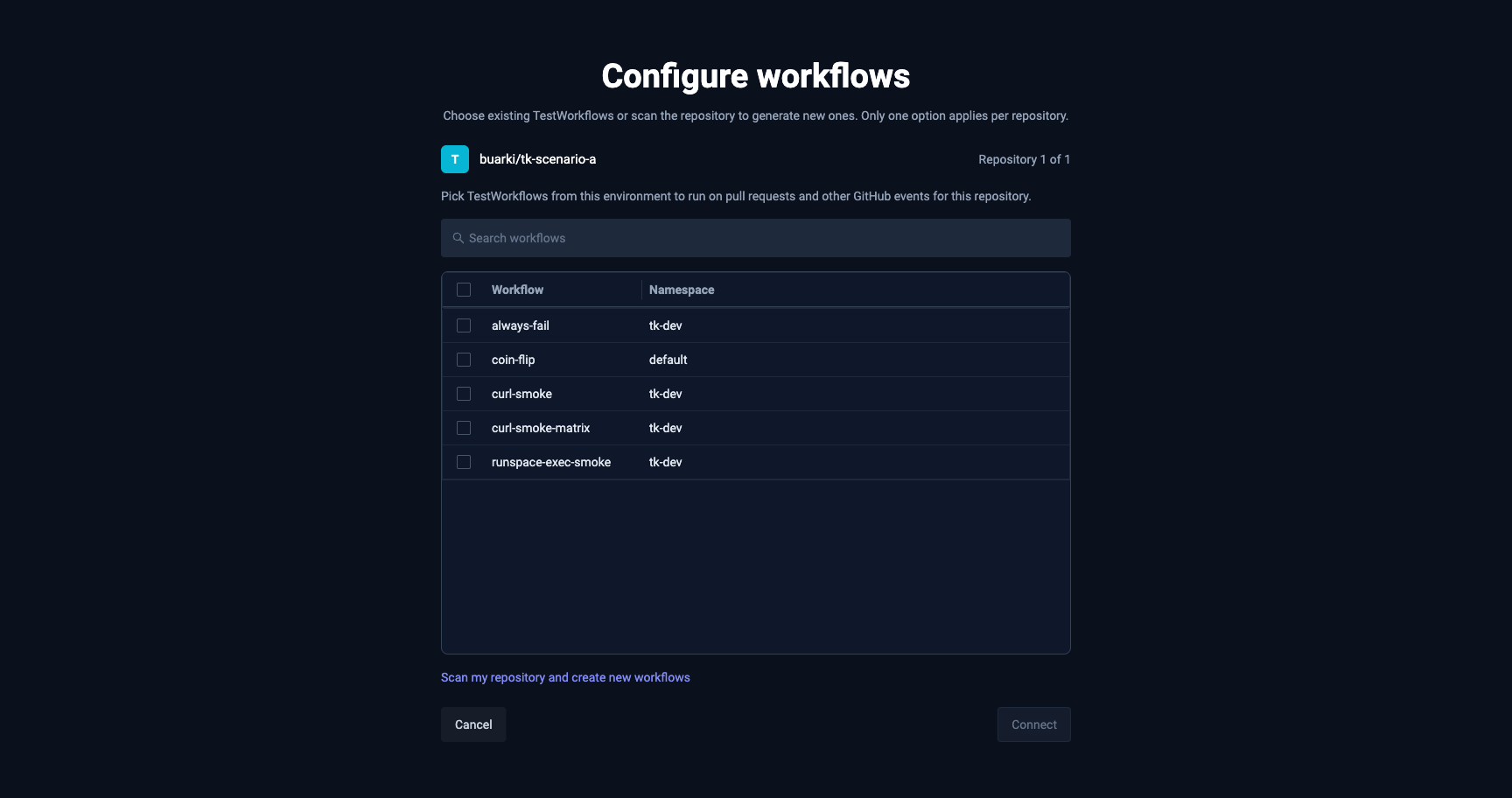
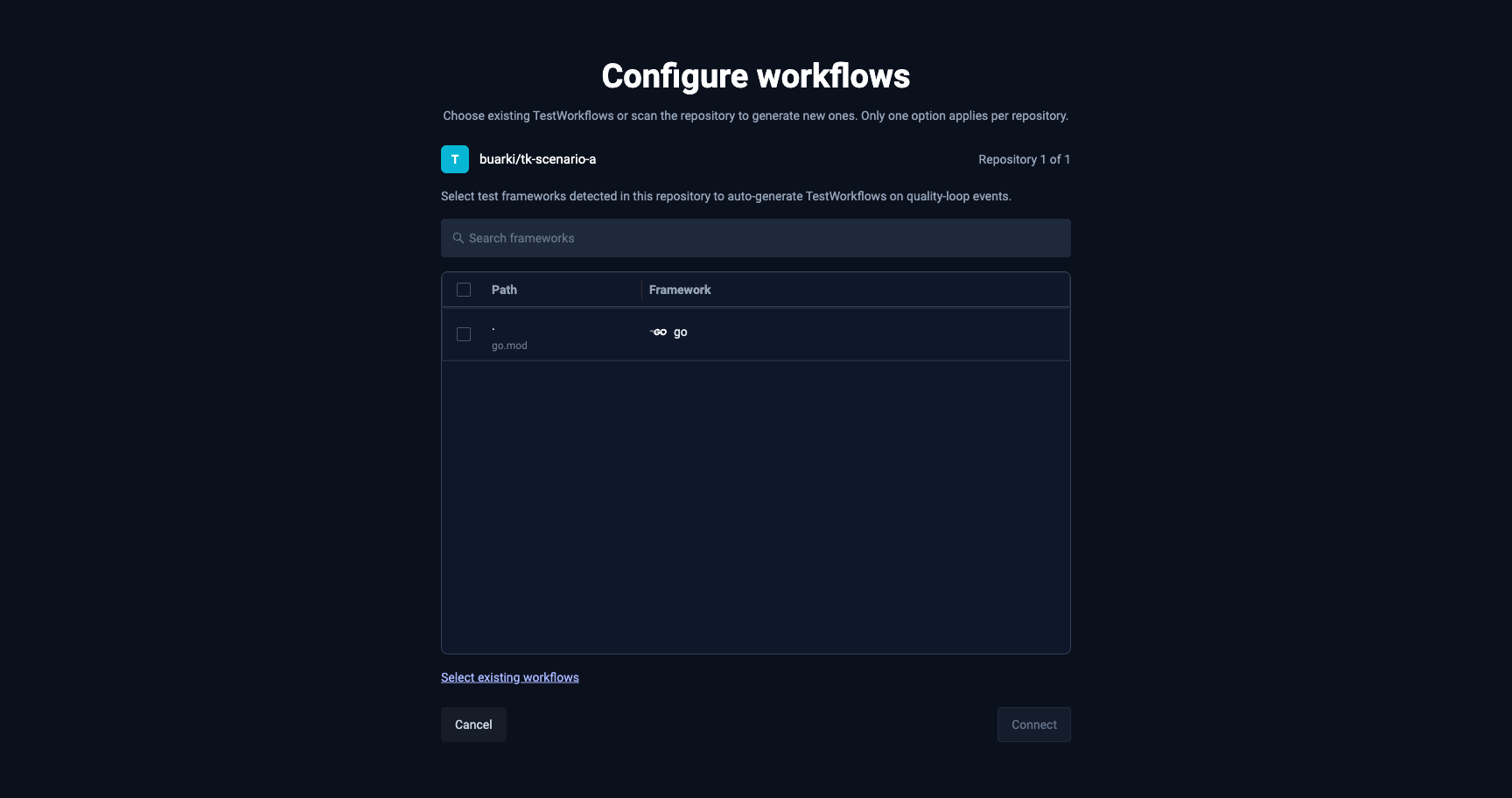
- Choose what runs against it:
- Attach existing Workflows already in this environment, or
- Scan the repo and let Testkube propose a starting point based on the detected stack (Playwright, Cypress, k6, Postman, JMeter, Maven, Gradle, Go, Node). Detection is best-effort, review and adjust the proposed set before confirming.
- Confirm. Testkube persists the selection, materializes one auto-gen Workflow per selected framework (for the scan path), and starts receiving webhook events.
What triggers a run
| Event | Action | Notes |
|---|---|---|
pull_request | opened | draft == false |
pull_request | ready_for_review | |
pull_request | synchronize | new commit pushed to the PR head |
issue_comment | created on a PR | body must mention @testkube (editing a comment does not count) |
push | branches matched by config | |
tag push | tag globs matched by config | |
release | published / prereleased | prereleases opt-in |
Toggle event types per integration from the dashboard configuration panel.
Configuration
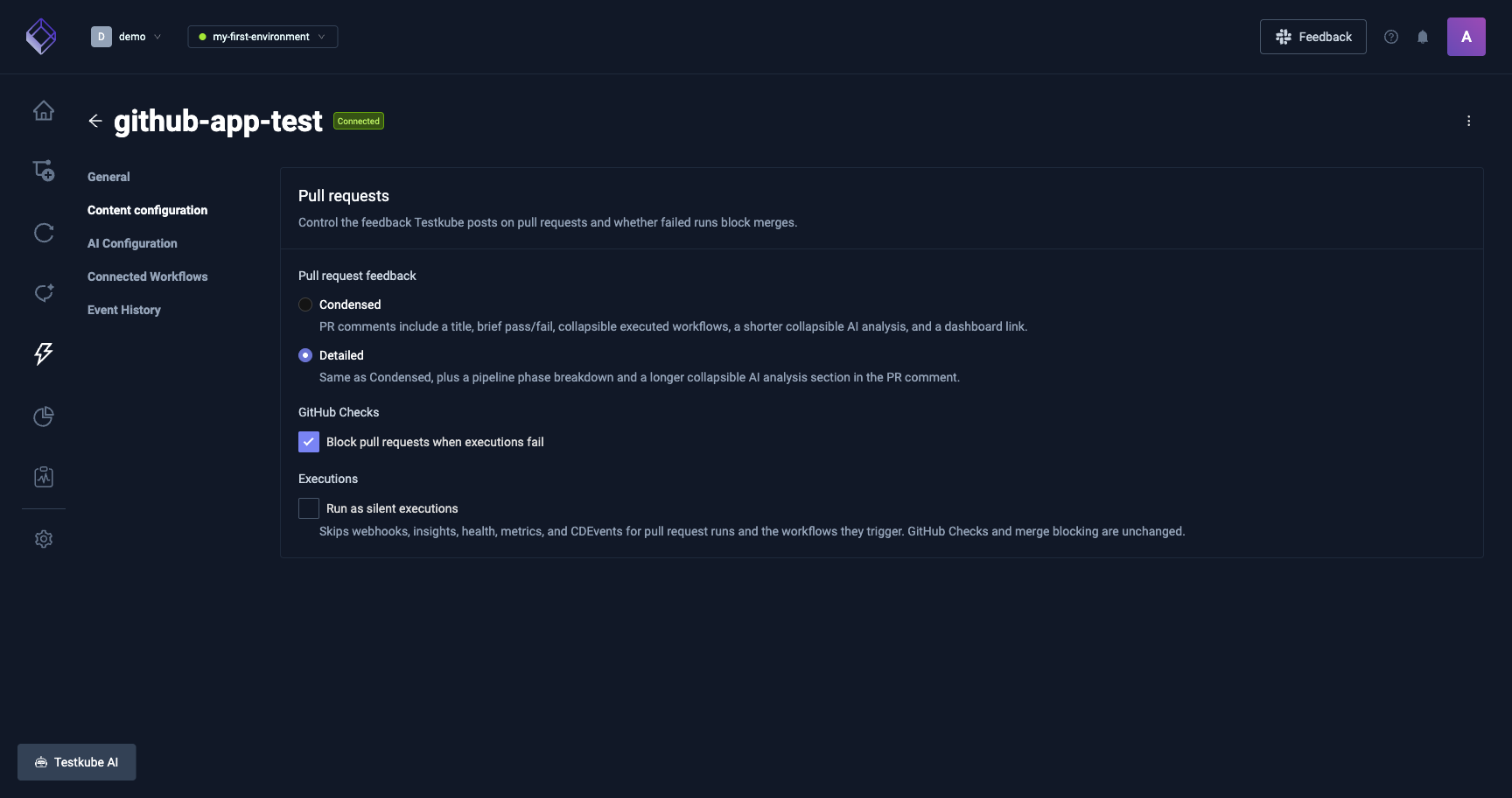
Every integration has a Configuration panel that controls PR feedback, AI analysis, and merge gating.
Pull request feedback
Chooses how the PR comment looks:
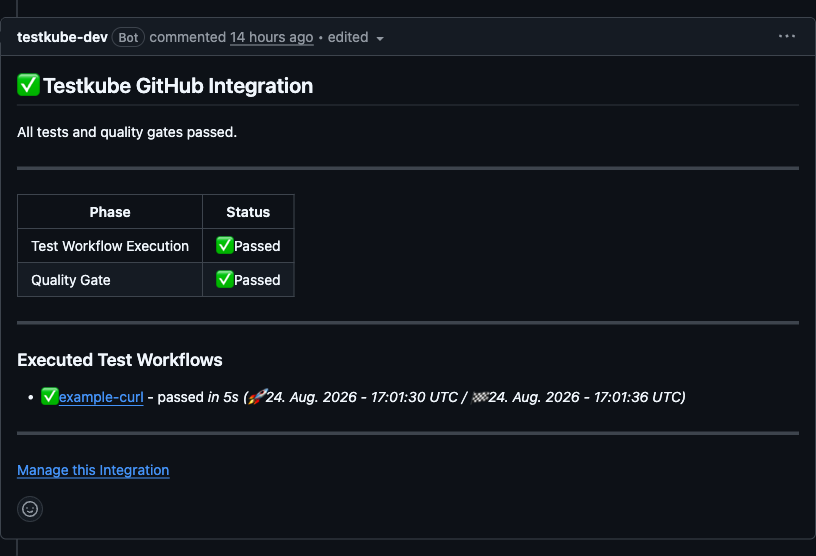
- Condensed (default): title, brief pass/fail, collapsible executed Workflows, a short collapsible AI analysis, and a link back to the dashboard.
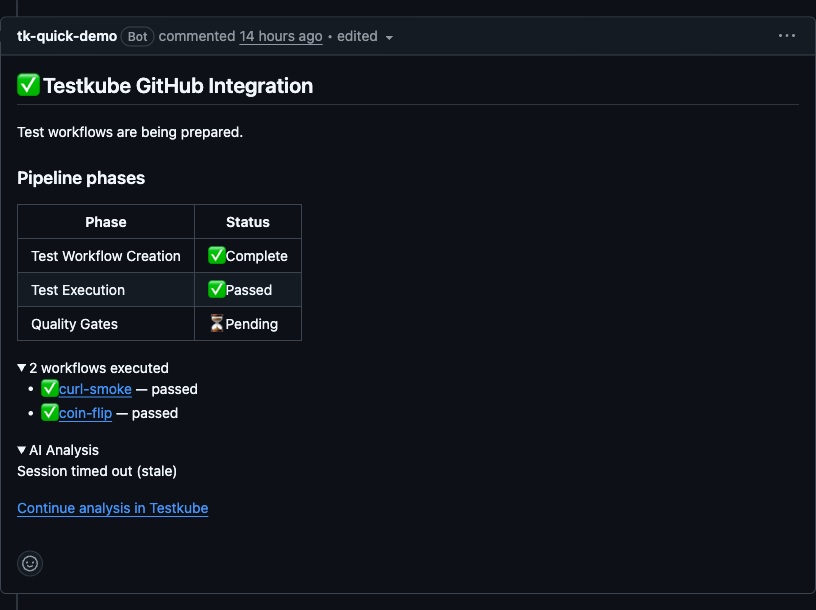
- Detailed: everything in Condensed, plus a pipeline phase breakdown and a longer collapsible AI analysis section.
GitHub Checks
- Block pull requests when executions fail: when on, a failed required Workflow marks the aggregate check-run as failed and blocks merge (if branch protection requires the check to pass). Off means the check-run still reports the result, but does not block.
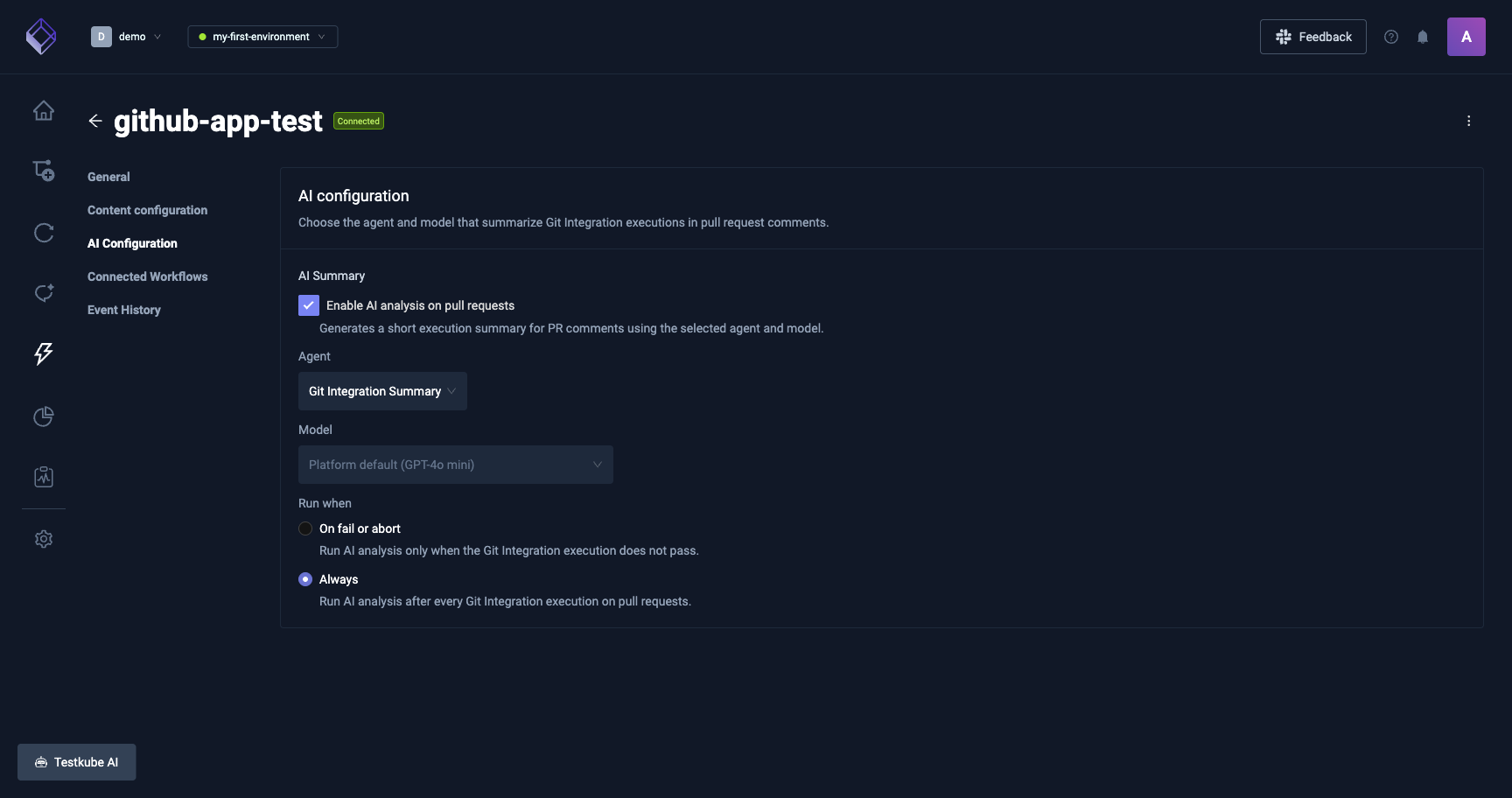
AI Summary
Adds an AI-generated execution summary to the PR comment.
- Enable AI analysis on pull requests: master toggle for the block.
- Agent: the AI agent that produces the summary. Only agents available in the environment show up. Analysis runs with nobody present, so AI agents that sign in to an MCP Server as each person can't be picked. If the chosen agent is later changed to sign in that way, analysis is skipped until it has a shared key or another agent is picked.
- Model: model used by the agent. Leave on Platform default unless you need to pin a specific one.
- Run when:
- On fail or abort: only run the summary when the execution does not pass, useful for keeping AI cost tied to real signal.
- Always: run after every execution on a PR.
AI sessions
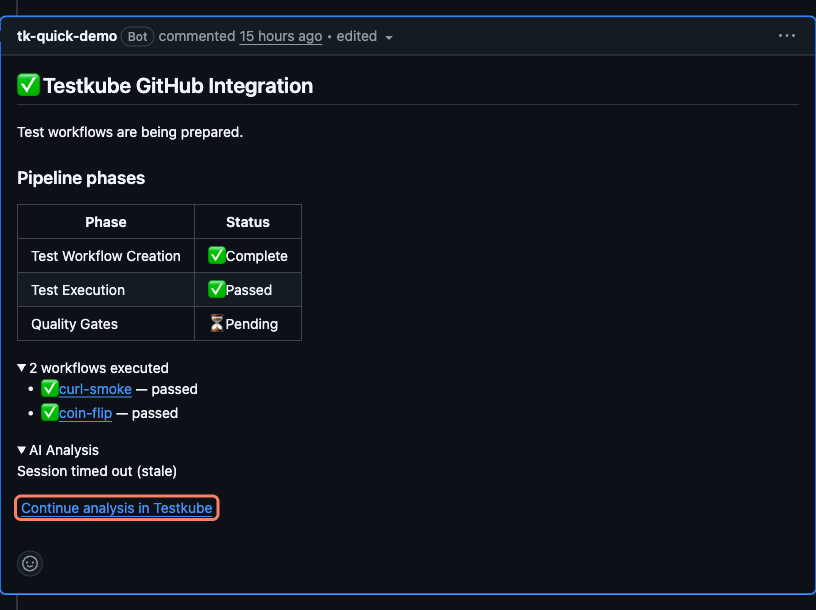
When AI Summary is on, Testkube creates one AI session per pull request. It is the assistant conversation that produces the AI Analysis block posted on the PR comment.
- One session per PR. Every subsequent push to the PR appends into the same session, so context builds up as the PR evolves rather than being lost between commits.
- Where to open it:
- From the PR comment, click Continue analysis in Testkube at the bottom of the AI Analysis block.
- From the dashboard, open the integration's GitHub events tab. Events whose analysis produced a session show a View chat link in the AI Session column.
- Both entry points land on the same conversation under the environment's Chats section. From there you can keep asking follow-ups, inspect the assistant's reasoning, or dig into the tool calls it made against your executions.
Auto-generated Workflows
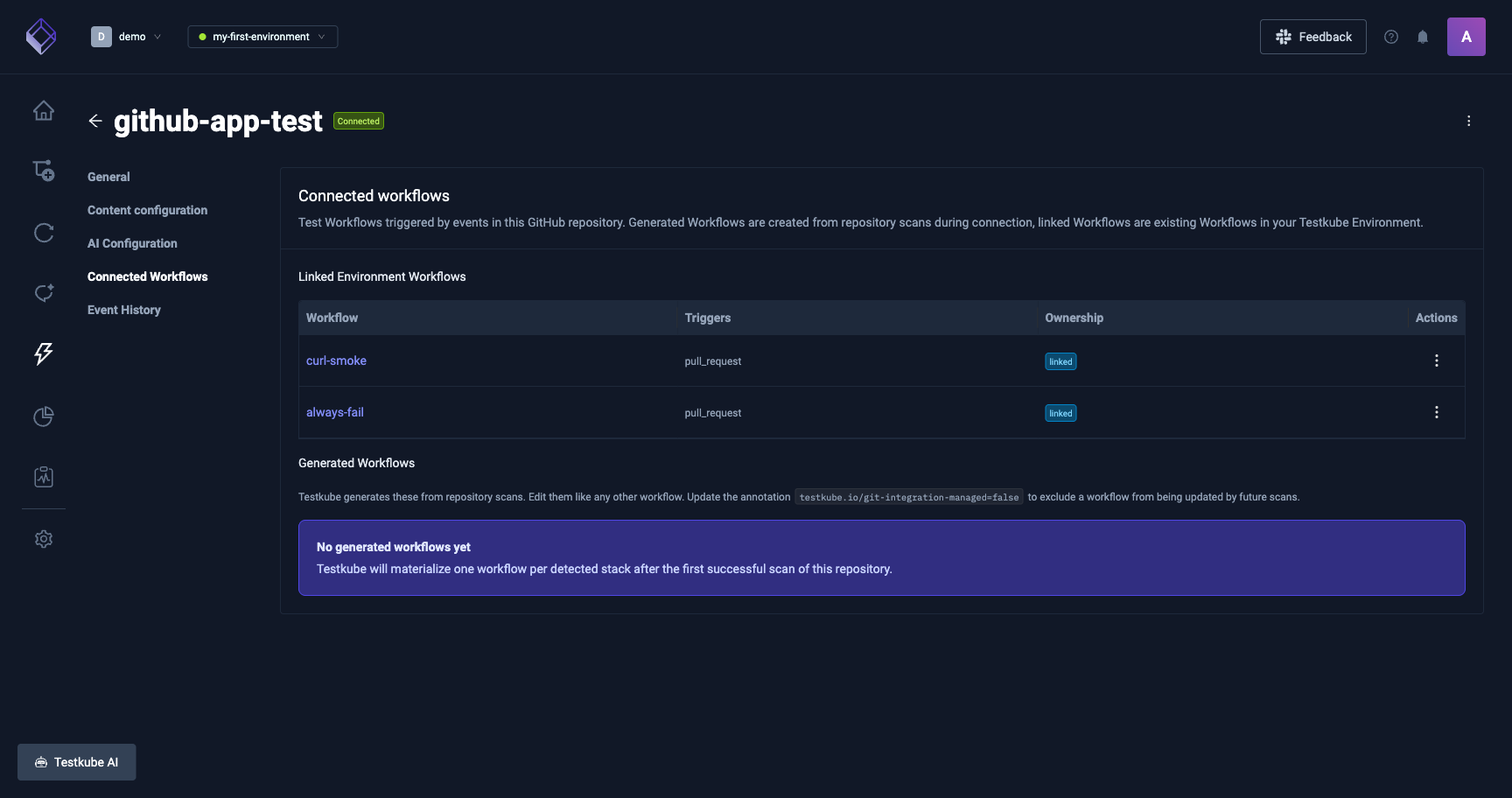
Every auto-gen Workflow is labelled so the GitHub integration can reconcile it:
| Label / Annotation | Value |
|---|---|
testkube.io/git-integration-integration-id | ID of the owning integration |
testkube.io/git-integration-framework | Detected framework (e.g. playwright) |
testkube.io/git-integration-provider | github |
testkube.io/git-integration-managed (annotation) | set to "false" to detach |
testkube.io/managed-by | git-integration |
Detaching a generated Workflow
Add testkube.io/git-integration-managed: "false" as an annotation on the Workflow to opt it out of reconcile:
- Testkube no longer overwrites your edits on rescan.
- The Workflow is not deleted when the integration is removed.
- It keeps running on every triggering event until you remove it from the integration selection.
Re-set the annotation to "true" (or remove it) to bring the Workflow back under management.
Event parameters available to your Workflows
Declare the ones you need under spec.config:
| Key | Meaning |
|---|---|
PR_NUMBER | PR number. Empty on push/tag/release. |
PR_SHA | Head commit SHA of the PR. |
PR_BASE_REF | Base branch of the PR (e.g. main). |
PR_HEAD_REF | Head branch of the PR. |
PR_AUTHOR | GitHub login of the PR author. |
revision | Git ref for the event (commit SHA on push, refs/pull/<n>/head on PRs), consumed as-is by spec.content.git.revision so the clone step checks out the right commit. |
Workflows that do not declare these ignore them.
Filtering executions by the GitHub integration
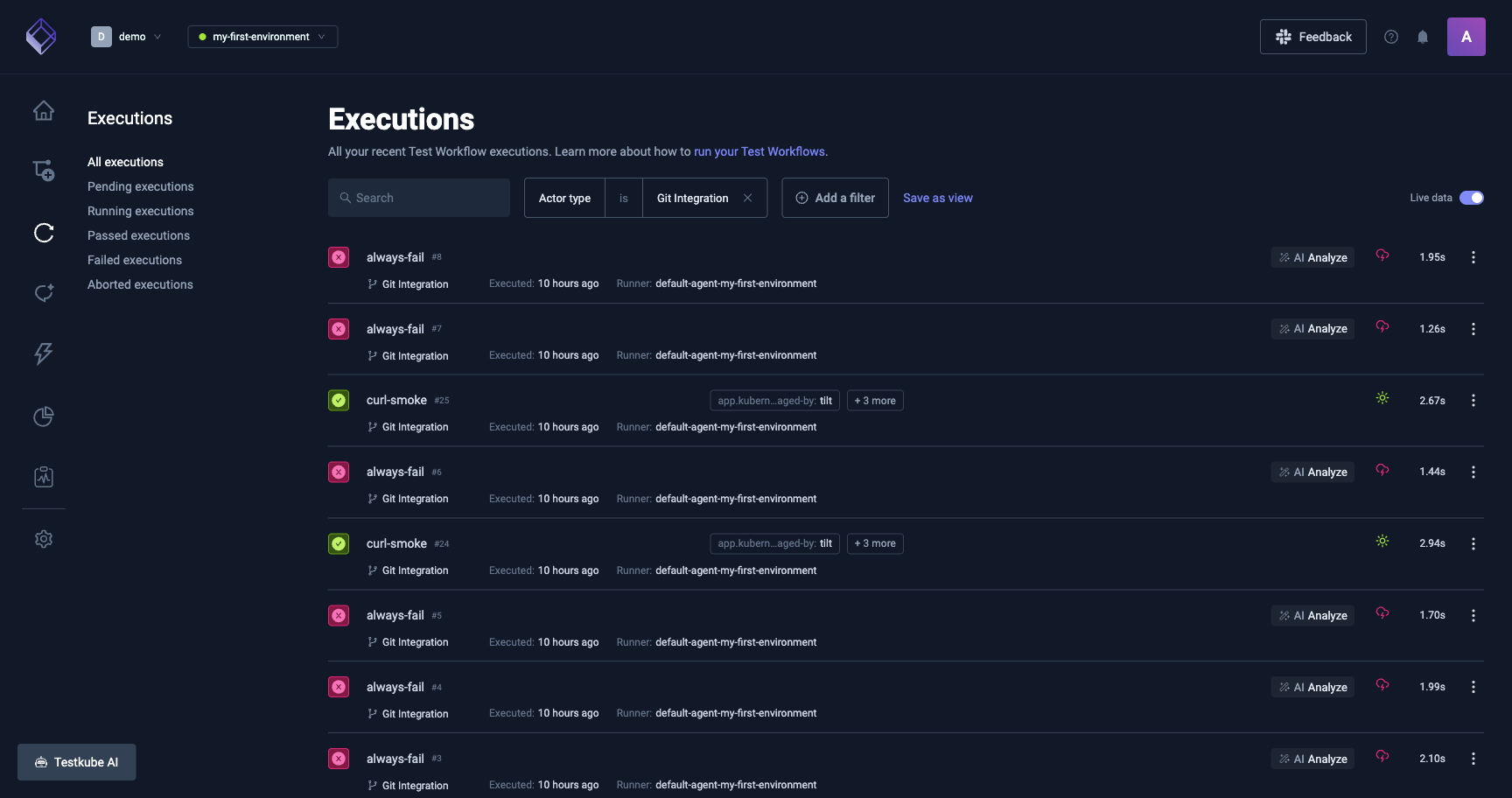
Every execution scheduled by the GitHub integration carries actor.type = gitintegration. The Executions page has a Git Integration filter chip that returns those runs.
Re-scanning a repository
Framework detection is refreshed automatically when a PR event touches a stack anchor: go.mod, package.json, pom.xml, build.gradle, build.gradle.kts, Cargo.toml, requirements.txt, pyproject.toml, Pipfile, Gemfile, or composer.json. The GitHub integration re-runs detection on the PR head and updates the set of auto-gen Workflows before executing.
There is no dashboard button for a manual rescan today. To force one when needed, disconnect the integration and connect again; the connection flow re-runs detection.
Results on GitHub
Each run reports a single aggregate check-run on the PR (or a commit status on push/tag/release). Clicking it opens the execution details in Testkube.
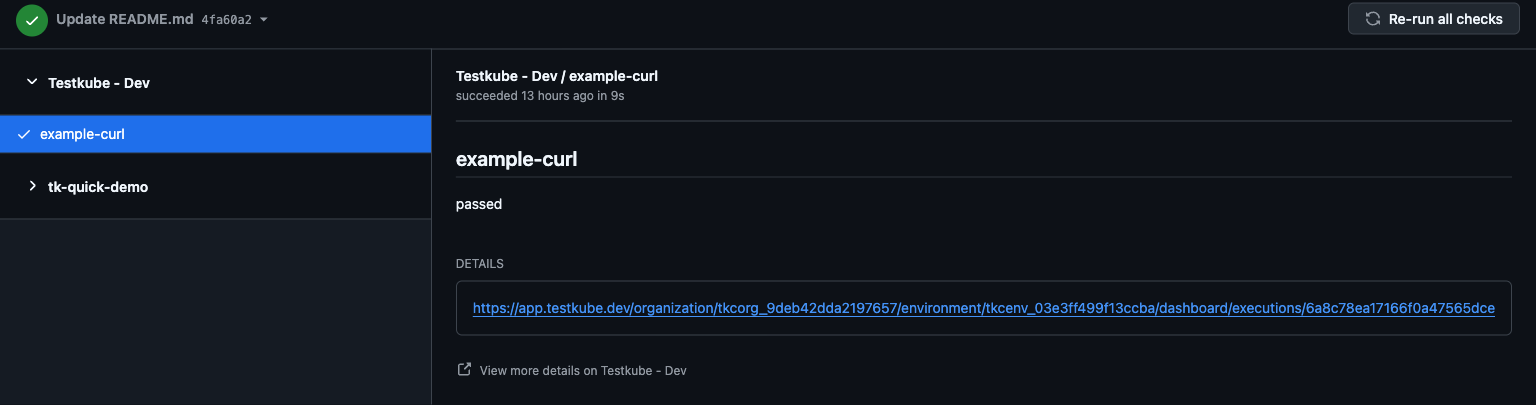
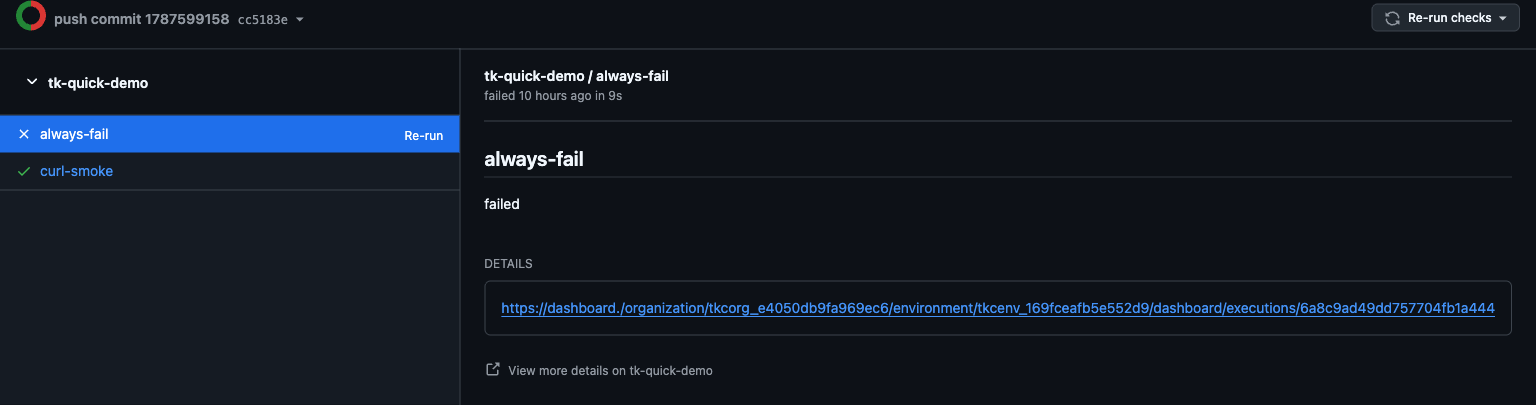
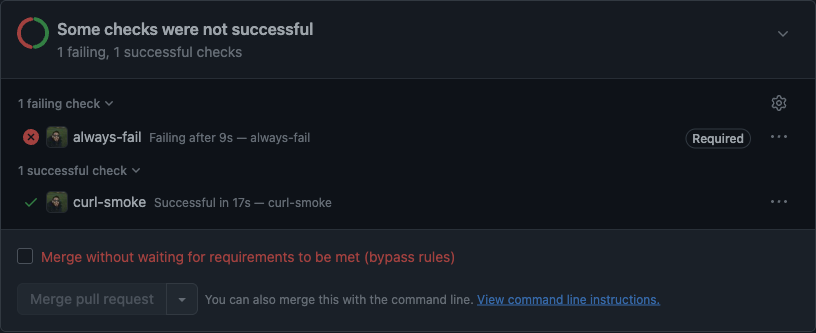
- Any Workflow that does not pass (failed, aborted, cancelled, timed out) marks the aggregate check-run as failure.
- Executions that never start (queued indefinitely, runner disconnected) time out after the environment's queue timeout and mark the check-run as failed with a "did not run" reason.
- Runs superseded by a newer push on the same PR are silently skipped, they do not overwrite the check-run.
Re-running a check
Every re-trigger path routes through the same pipeline:
- Re-run on a single check in the PR's Checks tab
- Re-run failed or Re-run all on the check-suite header
- Run again on a Testkube execution in the dashboard (only for executions scheduled by the GitHub integration)
- Comment
@testkubeon the PR
None of these replay the original run's snapshot. The pipeline resolves the Workflow against the current integration state and schedules fresh:
- The latest Workflow YAML wins if it changed between runs.
- A Workflow detached from the integration between runs is dropped, its historical result stays visible in the sticky comment but no new execution runs for it.
- Config parameters come from the PR event context, not from the original execution's config.
Practical framing: re-run means "run this again against the current head, with the current definitions", not "replay this exact run".
Tips and recipes
I just want to re-run without pushing anything
Comment @testkube on the PR. GitHub emits an issue_comment event and the GitHub integration runs the selected Workflows against the PR's current head. Useful for retrying a flake, re-checking after a base-branch fix, or triggering a run on a PR that opened before the integration was added.
Notes:
- Only newly created comments trigger a run, editing an existing one is ignored.
- The body must contain the string
testkube. - The comment does not need to be the first one, any subsequent
@testkubere-triggers the run.
Can I replace my GitHub Actions test job with a Test Workflow?
Yes. You can keep Actions for build, lint, and deploy, and move the test run itself onto a Test Workflow that the GitHub integration executes. History, filtering, and AI summaries then live on the Testkube side and the aggregate check-run replaces your Actions test job.
Minimal example, a Playwright job that today lives in .github/workflows/e2e.yml:
name: e2e
on: [pull_request]
jobs:
  e2e:
    runs-on: ubuntu-latest
    steps:
      - uses: actions/checkout@v4
      - run: npm ci
      - run: npx playwright test
Same job as a Test Workflow attached to the GitHub integration:
apiVersion: testworkflows.testkube.io/v1
kind: TestWorkflow
metadata:
  name: pr-e2e
spec:
  config:
    revision: { type: string }
  content:
    git:
      uri: https://github.com/<org>/<repo>.git
      revision: "{{ config.revision }}"
  container:
    image: mcr.microsoft.com/playwright:v1.62.1-jammy
    workingDir: /data/repo
  steps:
    - shell: npm ci
    - shell: npx playwright test
Attach the Workflow when connecting the repository (or from the integration configuration panel later). On the next PR event, Testkube clones the head commit, runs the steps, and reports one aggregate check-run back to GitHub.
Troubleshooting
The check-run never appears on the PR
Confirm the GitHub App has Checks: write on the repo. If the dashboard shows events as dispatch_failed, the runner logs will typically show 403 Resource not accessible by integration. Update App permissions and re-trigger.
The PR comment has no AI analysis Check that AI analysis is on and that its agent doesn't sign in to an MCP Server as each person. When an AI token limit is reached or AI is paused, the AI Analysis row says "Skipped: an AI token limit is reached or AI is paused. Ask an Organization admin." See AI token limits and pauses.
@testkube comment did nothing
The parser accepts action: created only. Editing an existing comment doesn't count (delete and post a new one). The body must contain testkube.
A generated Workflow keeps coming back after I delete it
Delete alone doesn't remove it from the desired state. Either remove the framework from the integration selection in the dashboard, or set testkube.io/git-integration-managed=false on it and then delete.
Generated Workflow runs in the wrong namespace
Auto-gen Workflows land in the namespace of the runner registered with the environment. With multiple runners, point manual testkube run testworkflow calls at the same namespace, or attach the Workflow to the intended runner.