Try Testkube on your machine
Install Testkube On-Prem on your own computer with one command.
Before you start
- A Testkube license key. You get it by email after you sign up for the trial.
- macOS or Linux. On Windows, use WSL 2.
- Docker, running, with at least 4 CPUs, 6 GB of memory, and 10 GB of free disk. On Docker Desktop, change these in Settings > Resources.
Run the installer
curl -fsSL https://trial.testkube.io | TESTKUBE_LICENSE=<key> bash
Replace <key> with the license key from your email.
The installer checks your machine, creates its own cluster inside Docker and installs Testkube there. Your own Kubernetes setup is not changed. The first run takes 5 to 10 minutes, mostly downloads.
Open Testkube
When the installer finishes, it opens the dashboard and shows how to log in. To see the address and login again later, run:
testkube status local
Run your first workflow
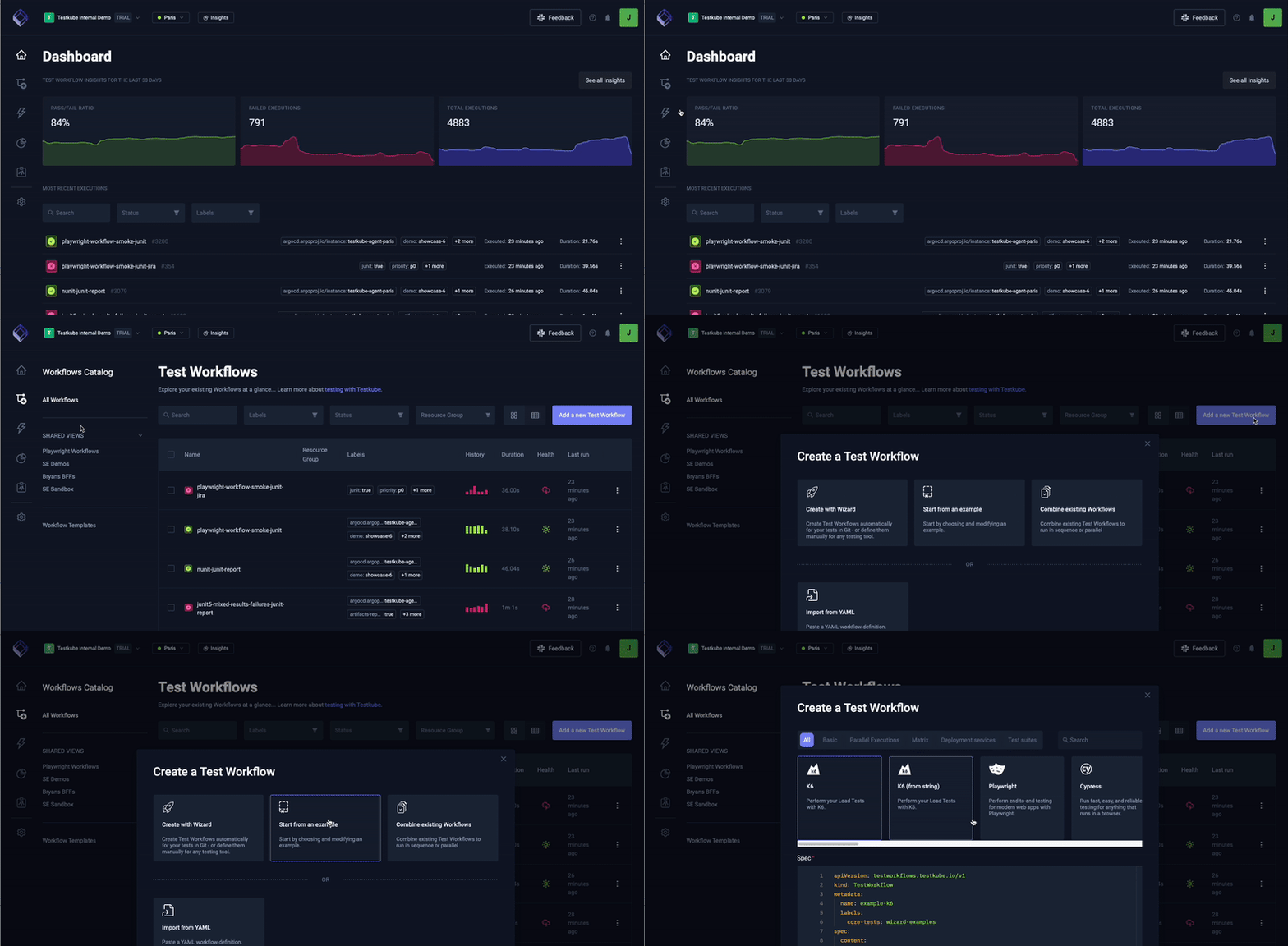
- Open Test Workflows and select Add a new Test Workflow.
- Pick an example from the catalogue.
- Select Save and run.
After a minute, the execution shows as passed, with its logs.
Manage your trial
testkube status local      # see if Testkube is running, its address and login
testkube uninstall local   # remove Testkube, keep your data
warning
testkube uninstall local --delete-data also deletes your test results and settings. You cannot undo this.
Next steps
- Create your own Test Workflows
- Install in a Kubernetes cluster you already have: run the installer and choose that option.
- Try Testkube with your team
- Something failed? Troubleshoot the local trial
- Talk to an engineer